Worldline: Receipt of payment administration notifications
From version 9.4.2 onwards, it is now possible to configure Worldline to receive administrator notifications regarding transaction payments.
The steps to follow to set up these notifications are as follows:
- Worldline portal: generate the Webhooks API key and define the target URL
- Gespage: configure the API secret key
- Gespage: add the administrator notification task
Worldline portal:
To create the API secret key and set the target URL, go to your Worldline portal under Configuration/Technical Information/API Settings:

Please click the ‘Generate Webhooks API Key’ button, then copy the WebhooksKeySercret; we’ll need it later:
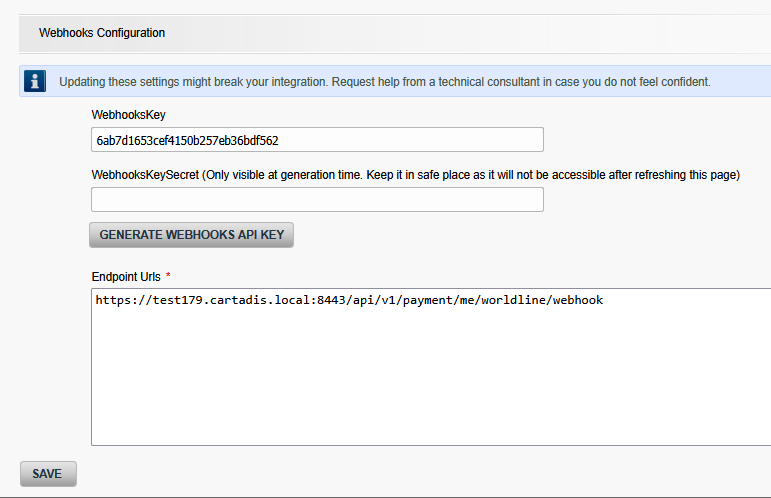
We also need to define the target URL for the notification response.
At this stage, we have several options:
If the Gespage gateway is published on the internet: in this case, the URL will be https://ServerName.DomainName:8443/api/v1/payment/me/worldline/webhook
ServerName.domainName: to enable connection to your published server.
Port 8443: this is the port for the Gespage gateway, which must also be open.
Otherwise, you must use a proxy: in this case, the URL consists of the proxy’s URL combined with the endpoint expected by the application.
Example: https://URL_de_mon_proxy/api/v1/payment/me/worldline/webhook.
The endpoint will always be the same for both methods, namely: /api/v1/payment/me/worldline/webhook
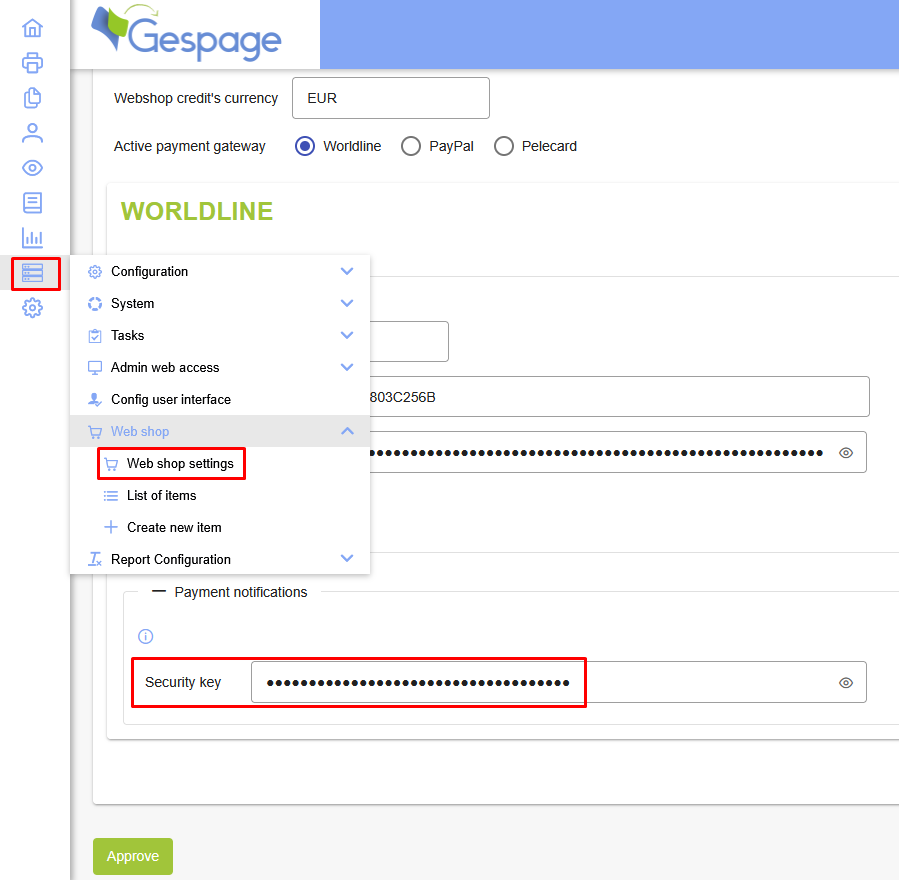
Gespage: configure the secret API
In the e-commerce configuration menu, add the API secret retrieved from the Worldline portal:
Gespage: add the notification task
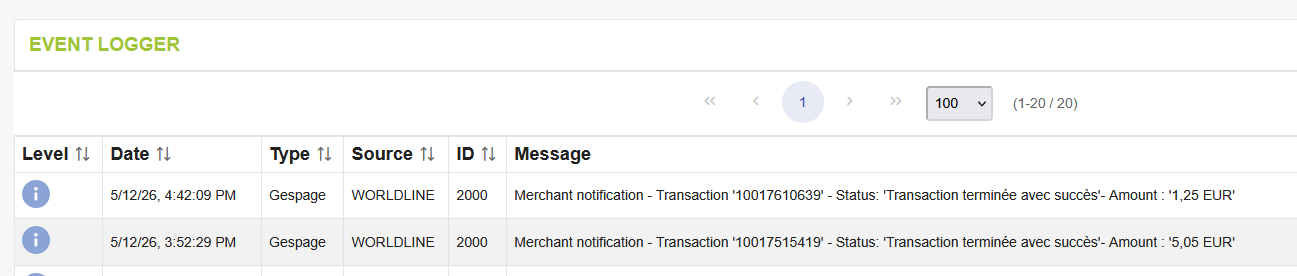
Notifications sent to the Gespage server trigger an event, event 2000.
We therefore need to create an administrator notification task for this event.
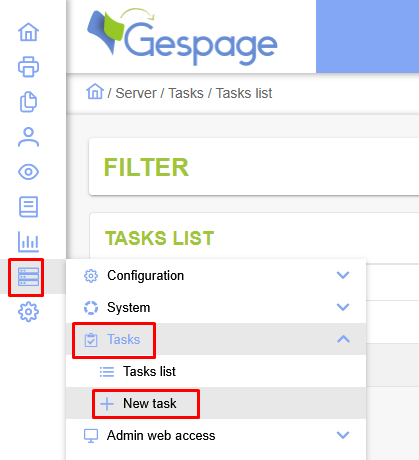
To do this, go to the Tasks menu, then select New Task:
The task type must be set to 'Admin notification', and the event must be set to ID 2000.
The notification type must also be set to 'Send an email' in order to receive the notification.
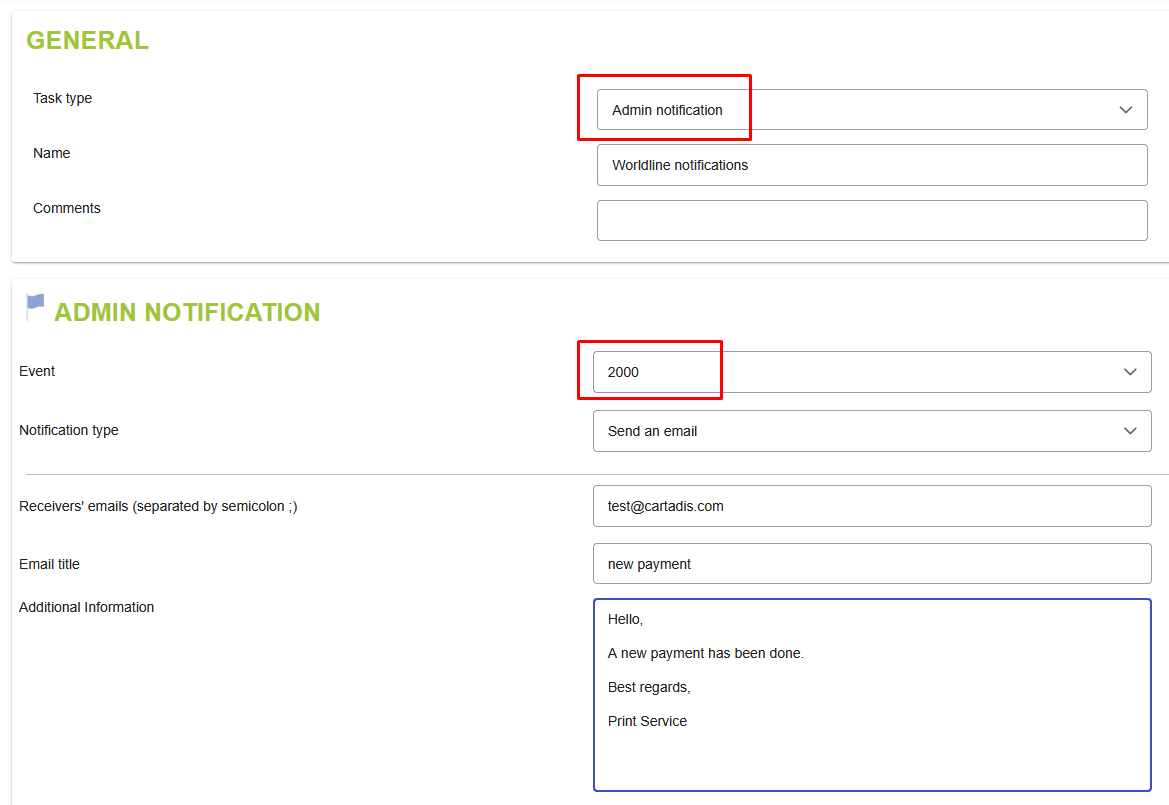
We can then enter the recipient’s email address and the subject line.
If you wish to include further details in the email, you can add them in the ‘Additional information’ field.
Finally, click ‘Confirm’ to create the task.
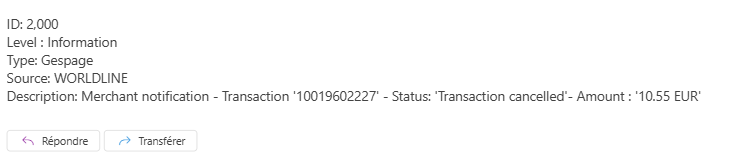
Each time the page is refreshed, the administrator will receive an email containing the transaction details.
Example of a successful transaction:

Example of a transaction cancelled by the user:
Was this article helpful?
That’s Great!
Thank you for your feedback
Sorry! We couldn't be helpful
Thank you for your feedback
Feedback sent
We appreciate your effort and will try to fix the article