Remote Control Tutorial for Sharp MFPs
Step 1: Enable Remote Access
Access the MFP's web interface and log in as admin.
Navigate to:
System Settings > Sharp OSA Settings > Operation Conditions
Check "Allow remote control panel access requests".
Then go to:
System Settings > Common Settings > Operation Settings > Operation Conditions
Apply the same settings.
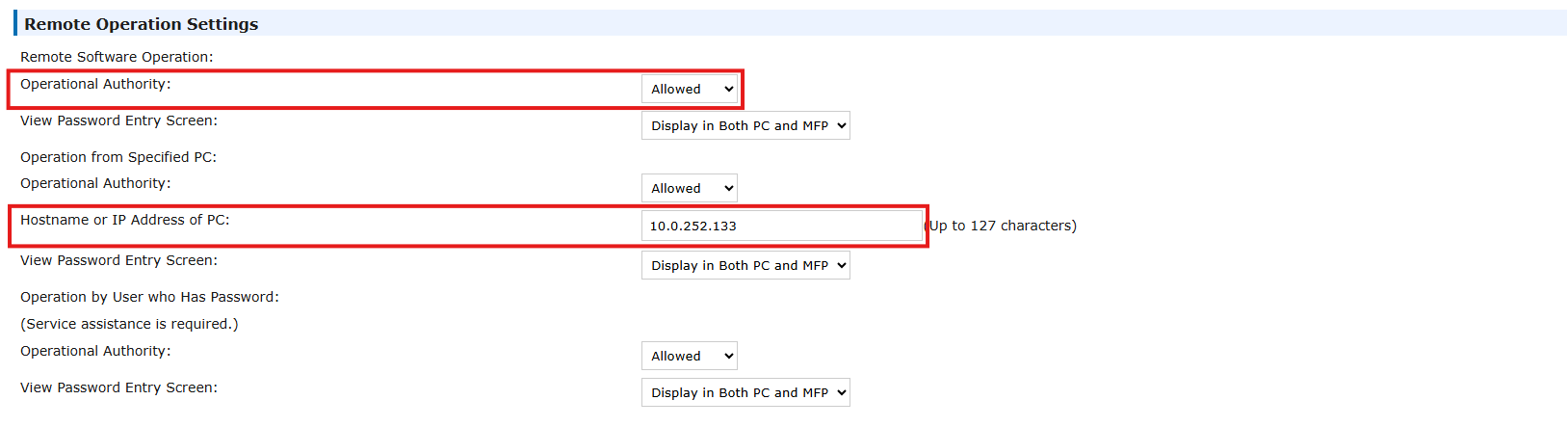
The first setting enables remote software (like VNC).
The second requires entering the host IP address (your VNC Viewer connection source).
Step 2: Connect via VNC Viewer
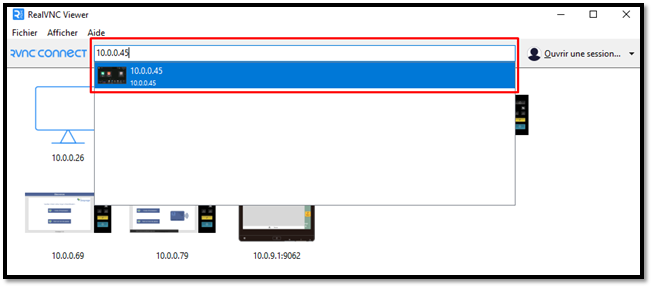
Open Real VNC Viewer and enter the MFP’s IP address.
When prompted, enter the device’s admin password.
Was this article helpful?
That’s Great!
Thank you for your feedback
Sorry! We couldn't be helpful
Thank you for your feedback
Feedback sent
We appreciate your effort and will try to fix the article