Remote Control Tutorial for Konica Minolta MFPs
Remote access to the Konica Minolta MFP screen is performed through a web browser. For best compatibility with the MFP interface, we recommend using Mozilla Firefox.
Enable Remote Panel Settings
Log in to the MFP's admin interface.
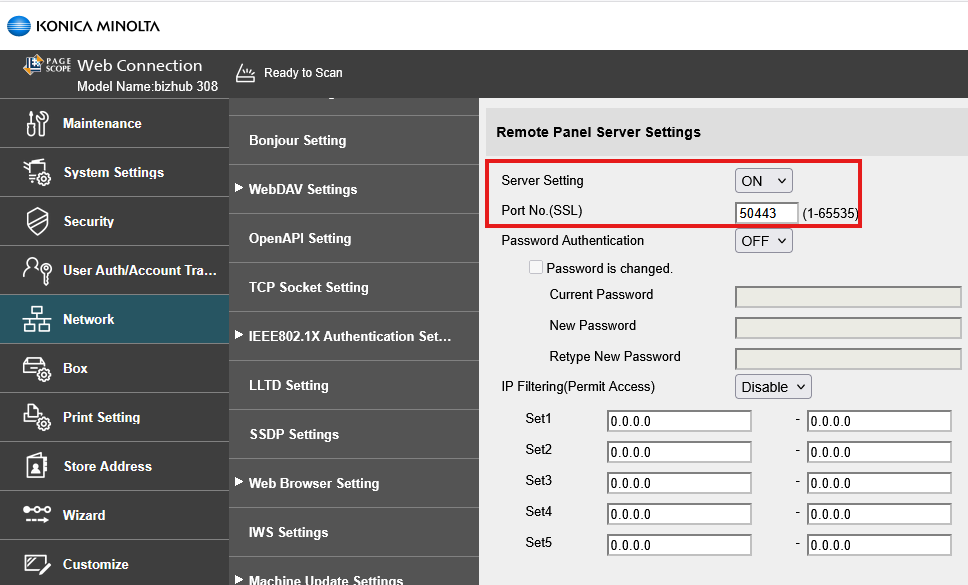
Navigate to: Network > Remote Panel Settings
Ensure the 'Server Settings' option is enabled.
The default port is 50443 (verify if needed).
Access the Remote Panel
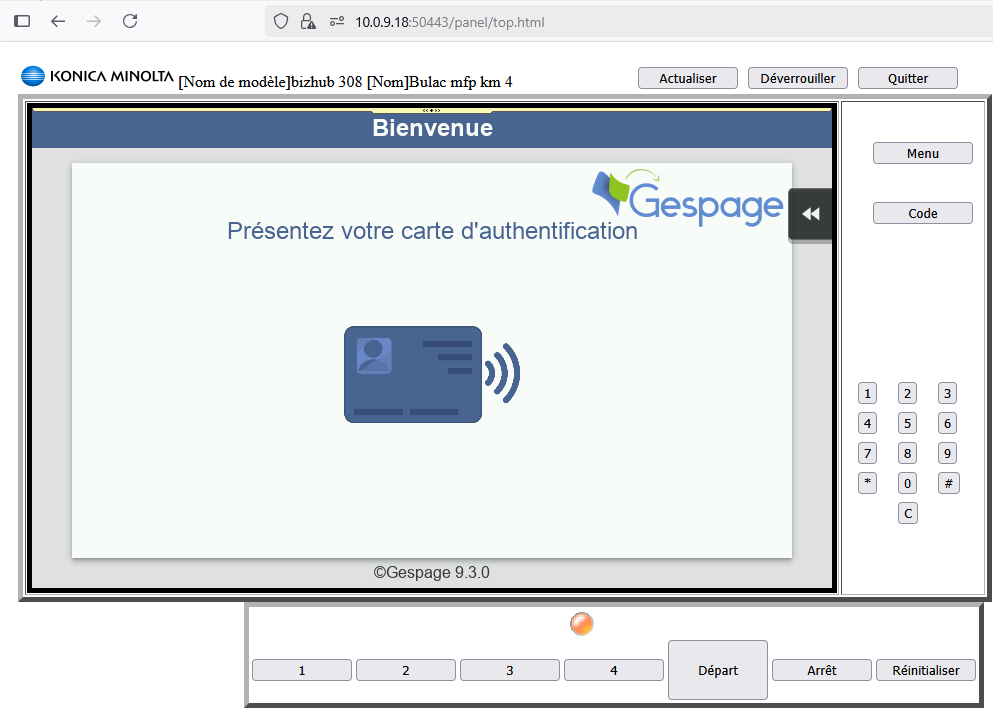
Open your browser and enter the following URL: https://MFP_IP_ADRESS:50443/panel/top.html
You will now have full remote access to the MFP's control panel and can navigate between screens as needed.
This method allows for convenient remote troubleshooting and configuration.
Was this article helpful?
That’s Great!
Thank you for your feedback
Sorry! We couldn't be helpful
Thank you for your feedback
Feedback sent
We appreciate your effort and will try to fix the article