Web browser licence
Depending on the generation of your Konica-Minolta machine, a licence may be required to activate the web browser.
You will find below the procedure to follow to obtain this licence.
First step, open the following web page:
https://lms.konicaminolta.com/LicenseFree/KM/support_free.aspx
You should arrive at a page asking for your copier's serial number:
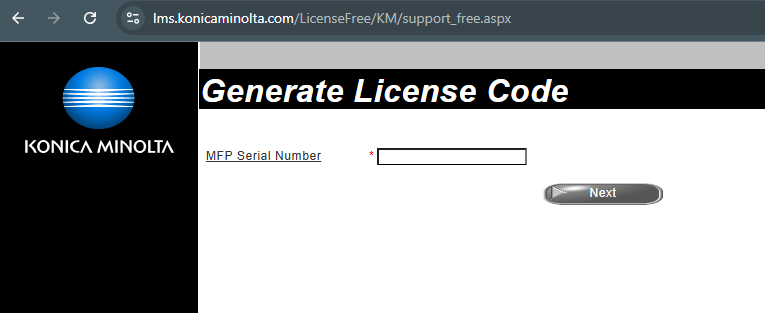
Once you have entered the serial number, click on ‘Next’ and wait a few minutes.
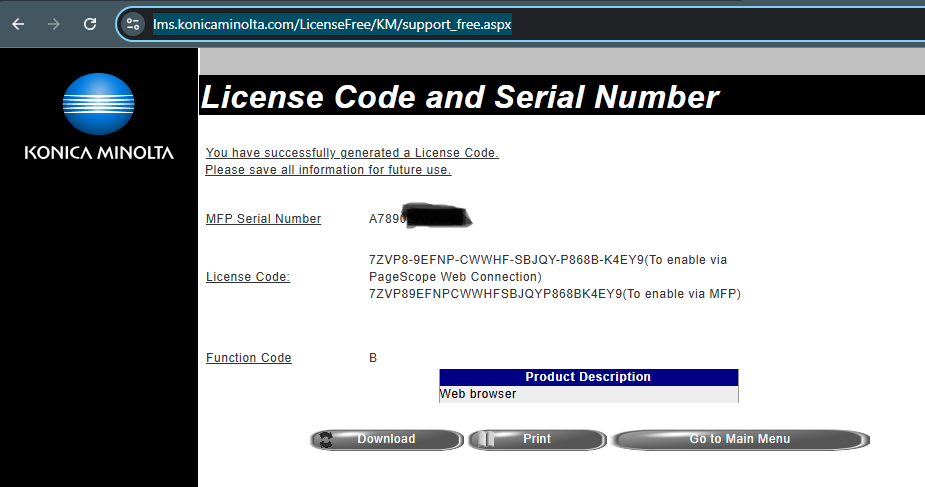
A page with the licence will then be displayed. Simply copy/paste the licence number and enter it either via PageScope or directly on the copier screen:
Was this article helpful?
That’s Great!
Thank you for your feedback
Sorry! We couldn't be helpful
Thank you for your feedback
Feedback sent
We appreciate your effort and will try to fix the article