Tutorial: Remote Access on Kyocera MFP
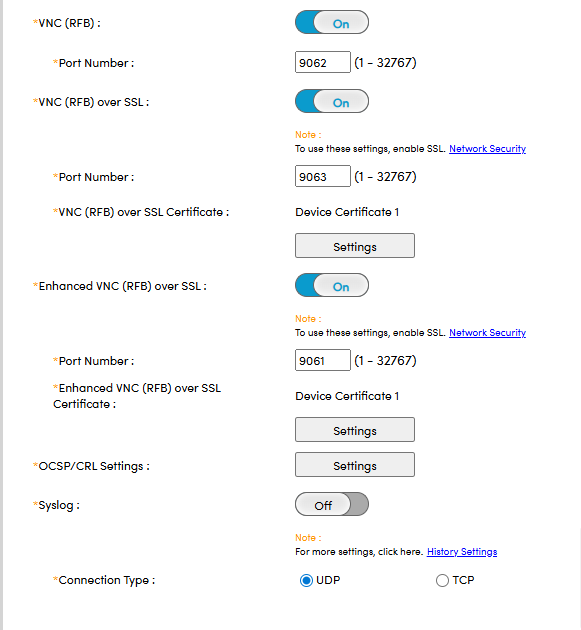
It is possible to connect via VNC Viewer, but this requires setting up a connection port beforehand.
To do this, access the device's web user interface and log in as an administrator. Then, go to Network Settings > Protocol and finally locate the VNC (RFB) parameter.
You have the choice to make an unsecured connection, or a secure one using the SSL protocol, and also with the addition of a Certificate:
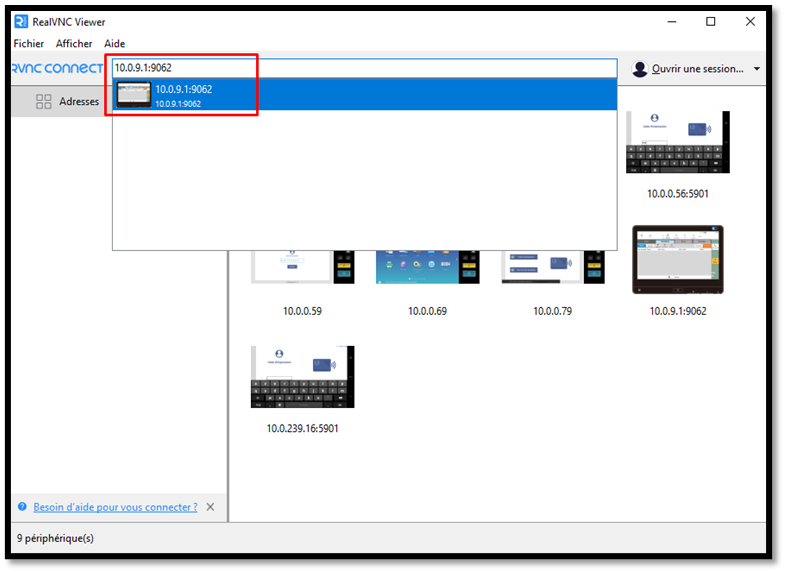
Finally, open Real VNC Viewer and enter the copier's IP address followed by the port 9062
Was this article helpful?
That’s Great!
Thank you for your feedback
Sorry! We couldn't be helpful
Thank you for your feedback
Feedback sent
We appreciate your effort and will try to fix the article